TypeScript Hello World using AWS Serverless
Based on Building TypeScript projects with AWS SAM CLI
Some of the info here from 2022 looks a bit dated.
AWS + SAM setup
This was already done and documented here:
To make this work, I would need to complete that setup up through but not including "Amazon Hello World serverless app"
Create a new project with "sam init"
cd $HOME/github.com/sbonds-event-driven-applications-lp
mkdir amazon-serverless-hello-world-typescript
cd amazon-serverless-hello-world-typescript
sam.cmd init
Choose:
- AWS Quick Start Templates
- Hello World Example
- Use the most popular runtime and package type? (Python and zip) [y/N]: N
- Runtime: nodejs20.x
- Package Type: Zip
- Starter template: Hello World Example TypeScript
- Name: sam-hello-world-typescript
You can preselect a particular runtime or package type when using the `sam init` experience.
Call `sam init --help` to learn more.

Which template source would you like to use?
        1 - AWS Quick Start Templates
        2 - Custom Template Location
Choice: 1

Choose an AWS Quick Start application template
        1 - Hello World Example
        2 - Data processing
        3 - Hello World Example with Powertools for AWS Lambda
        4 - Multi-step workflow
        5 - Scheduled task
        6 - Standalone function
        7 - Serverless API
        8 - Infrastructure event management
        9 - Lambda Response Streaming
        10 - Serverless Connector Hello World Example
        11 - Multi-step workflow with Connectors
        12 - GraphQLApi Hello World Example
        13 - Full Stack
        14 - Lambda EFS example
        15 - DynamoDB Example
        16 - Machine Learning
Template: 1

Use the most popular runtime and package type? (Python and zip) [y/N]: N

Which runtime would you like to use?
        1 - aot.dotnet7 (provided.al2)
        2 - dotnet8
        3 - dotnet6
        4 - go (provided.al2)
        5 - go (provided.al2023)
        6 - graalvm.java11 (provided.al2)
        7 - graalvm.java17 (provided.al2)
        8 - java21
        9 - java17
        10 - java11
        11 - java8.al2
        12 - nodejs20.x
        13 - nodejs18.x
        14 - nodejs16.x
        15 - python3.9
        16 - python3.8
        17 - python3.12
        18 - python3.11
        19 - python3.10
        20 - ruby3.3
        21 - ruby3.2
        22 - rust (provided.al2)
        23 - rust (provided.al2023)
Runtime: 12

What package type would you like to use?
        1 - Zip
        2 - Image
Package type: 1

Based on your selections, the only dependency manager available is npm.
We will proceed copying the template using npm.

Select your starter template
        1 - Hello World Example
        2 - Hello World Example TypeScript
Template: 2

Would you like to enable X-Ray tracing on the function(s) in your application?  [y/N]: N

Would you like to enable monitoring using CloudWatch Application Insights?
For more info, please view https://docs.aws.amazon.com/AmazonCloudWatch/latest/monitoring/cloudwatch-application-insights.html [y/N]: N

Would you like to set Structured Logging in JSON format on your Lambda functions?  [y/N]: N

Project name [sam-app]: sam-hello-world-typescript

    -----------------------
    Generating application:
    -----------------------
    Name: sam-hello-world-typescript
    Runtime: nodejs20.x
    Architectures: x86_64
    Dependency Manager: npm
    Application Template: hello-world-typescript
    Output Directory: .
    Configuration file: sam-hello-world-typescript\samconfig.toml

    Next steps can be found in the README file at sam-hello-world-typescript\README.md


Commands you can use next
=========================
[*] Create pipeline: cd sam-hello-world-typescript && sam pipeline init --bootstrap
[*] Validate SAM template: cd sam-hello-world-typescript && sam validate
[*] Test Function in the Cloud: cd sam-hello-world-typescript && sam sync --stack-name {stack-name} --watch
Build the template:
Starting Build use cache
Manifest file is changed (new hash: ecb81c2850e6f7023747ba397c5d59bd) or dependency folder (.aws-sam\deps\c1421539-8c81-4baa-9632-896fd2b4b41e) is missing for (HelloWorldFunction), downloading dependencies and copying/building source
Building codeuri: C:\Users\sbond\github.com\sbonds-event-driven-applications-lp\amazon-serverless-hello-world-typescript\sam-hello-world-typescript\hello-world runtime: nodejs20.x metadata: {'BuildMethod': 'esbuild', 'BuildProperties': {'Minify': True, 'Target': 'es2020', 'Sourcemap': True, 'EntryPoints': ['app.ts']}} architecture: x86_64 functions: HelloWorldFunction

Build Failed
Error: Esbuild Failed: The esbuild workflow couldn't find npm installed on your system.
It's probably not wrong. Installed Node v20 and started a new bash shell
cd $HOME/github.com/sbonds-event-driven-applications-lp/amazon-serverless-hello-world-typescript/sam-hello-world-typescript
sam.cmd build
Build output:
Starting Build use cache
Manifest file is changed (new hash: ecb81c2850e6f7023747ba397c5d59bd) or dependency folder (.aws-sam\deps\c1421539-8c81-4baa-9632-896fd2b4b41e) is missing for (HelloWorldFunction), downloading dependencies and copying/building source
Building codeuri: C:\Users\sbond\github.com\sbonds-event-driven-applications-lp\amazon-serverless-hello-world-typescript\sam-hello-world-typescript\hello-world runtime: nodejs20.x metadata: {'BuildMethod': 'esbuild', 'BuildProperties': {'Minify': True, 'Target': 'es2020', 'Sourcemap': True, 'EntryPoints': ['app.ts']}} architecture: x86_64 functions: HelloWorldFunction
 Running NodejsNpmEsbuildBuilder:CopySource
 Running NodejsNpmEsbuildBuilder:NpmInstall
 Running NodejsNpmEsbuildBuilder:EsbuildBundle
 Running NodejsNpmEsbuildBuilder:CleanUp
 Running NodejsNpmEsbuildBuilder:MoveDependencies

Sourcemap set without --enable-source-maps, adding --enable-source-maps to function HelloWorldFunction NODE_OPTIONS

You are using source maps, note that this comes with a performance hit! Set Sourcemap to false and remove NODE_OPTIONS: --enable-source-maps to disable source maps.


Build Succeeded

Built Artifacts  : .aws-sam\build
Built Template   : .aws-sam\build\template.yaml

Commands you can use next
=========================
[*] Validate SAM template: sam validate
[*] Invoke Function: sam local invoke
[*] Test Function in the Cloud: sam sync --stack-name {{stack-name}} --watch
[*] Deploy: sam deploy --guided
Customize esbuild metadata
This is part of a later step in the liveProject, too.
Current contents:
    Metadata: # Manage esbuild properties
      BuildMethod: esbuild
      BuildProperties:
        Minify: true
        Target: "es2020"
        Sourcemap: true
        EntryPoints:
        - app.ts
The walk through just says to "customize" these. Errr... for what? What do these do? What needs to change? Why?
Throw it all at Google and see what sticks: https://www.google.com/search?q=esbuild+metadata+typescript+minify+target+sourcemap+entrypoints
Minify
https://esbuild.github.io/api/#minify

Ah, I see. This would be great for production javascript to keep downloads small, but probably terrible for debugging. I'm going to change that to false.
Target
https://esbuild.github.io/api/#target
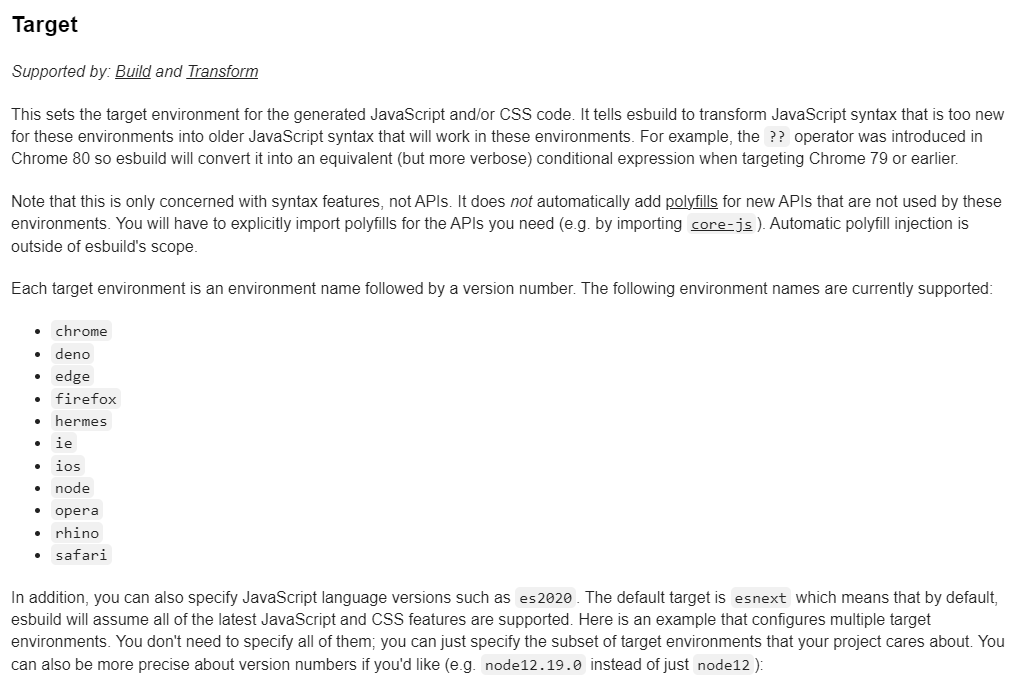
es2020 seems fine.
Sourcemap
https://esbuild.github.io/api/#sourcemap
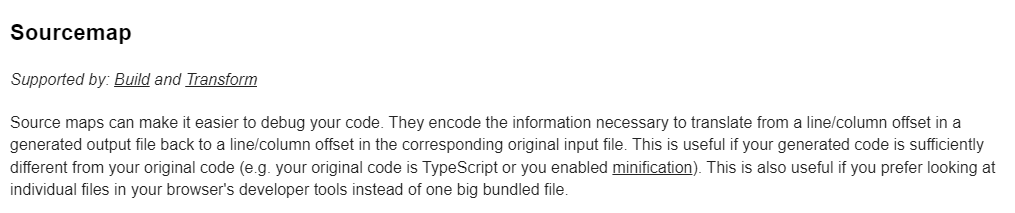
Debugging symbols seem like a very good idea.
EntryPoints
https://esbuild.github.io/api/#entry-points
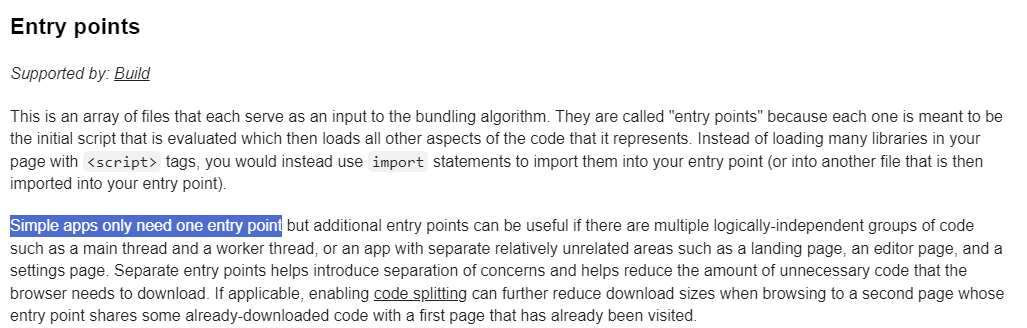
The "sam init" process created hello-world/app.ts so this seems fine.
Revised esbuild metadata
Minify changed to false, everything else is the same.
    Metadata: # Manage esbuild properties
      BuildMethod: esbuild
      BuildProperties:
        Minify: false
        Target: "es2020"
        Sourcemap: true
        EntryPoints:
        - app.ts
SAM deploy
sam.cmd deploy --profile sbonds-manning-2 --guided
Configuring SAM deploy
======================

        Looking for config file [samconfig.toml] :  Found
        Reading default arguments  :  Success

        Setting default arguments for 'sam deploy'
        =========================================
        Stack Name [sam-hello-world-typescript]:
        AWS Region [us-east-1]: us-west-2
        #Shows you resources changes to be deployed and require a 'Y' to initiate deploy
        Confirm changes before deploy [Y/n]:
        #SAM needs permission to be able to create roles to connect to the resources in your template
        Allow SAM CLI IAM role creation [Y/n]:
        #Preserves the state of previously provisioned resources when an operation fails
        Disable rollback [y/N]:
        HelloWorldFunction has no authentication. Is this okay? [y/N]: Y
        Save arguments to configuration file [Y/n]:
        SAM configuration file [samconfig.toml]:
        SAM configuration environment [default]: sam-hello-world-typescript

        Looking for resources needed for deployment:
Error: Error when retrieving token from sso: Token has expired and refresh failed
Oh, yeah-- the login timeout.
aws sso login --profile sbonds-manning-2 --no-browsersam.cmd deploy --profile sbonds-manning-2 --guided
- Region: us-west-2
- HelloWorldFunction has no authentication. Is this okay? [y/N]: Y
- SAM configuration environment [default]: sam-hello-world-typescript
Configuring SAM deploy
======================

        Looking for config file [samconfig.toml] :  Found
        Reading default arguments  :  Success

        Setting default arguments for 'sam deploy'
        =========================================
        Stack Name [sam-hello-world-typescript]:
        AWS Region [us-east-1]: us-west-2
        #Shows you resources changes to be deployed and require a 'Y' to initiate deploy
        Confirm changes before deploy [Y/n]:
        #SAM needs permission to be able to create roles to connect to the resources in your template
        Allow SAM CLI IAM role creation [Y/n]:
        #Preserves the state of previously provisioned resources when an operation fails
        Disable rollback [y/N]:
        HelloWorldFunction has no authentication. Is this okay? [y/N]: Y
        Save arguments to configuration file [Y/n]:
        SAM configuration file [samconfig.toml]:
        SAM configuration environment [default]: sam-hello-world-typescript

        Looking for resources needed for deployment:

        Managed S3 bucket: aws-sam-cli-managed-default-samclisourcebucket-x56mdwirqovy
        A different default S3 bucket can be set in samconfig.toml and auto resolution of buckets turned off by setting resolve_s3=False

        Saved arguments to config file
        Running 'sam deploy' for future deployments will use the parameters saved above.
        The above parameters can be changed by modifying samconfig.toml
        Learn more about samconfig.toml syntax at
        https://docs.aws.amazon.com/serverless-application-model/latest/developerguide/serverless-sam-cli-config.html

        Uploading to sam-hello-world-typescript/47fcc2d1d669ff3c3382ebf08a0dede6  1292 / 1292  (100.00%)

        Deploying with following values
        ===============================
        Stack name                   : sam-hello-world-typescript
        Region                       : us-west-2
        Confirm changeset            : True
        Disable rollback             : False
        Deployment s3 bucket         : aws-sam-cli-managed-default-samclisourcebucket-x56mdwirqovy
        Capabilities                 : ["CAPABILITY_IAM"]
        Parameter overrides          : {}
        Signing Profiles             : {}

Initiating deployment
=====================

        Uploading to sam-hello-world-typescript/fb7e66cb360a02afea0b3df64d1c2cb6.template  1532 / 1532  (100.00%)


Waiting for changeset to be created..

CloudFormation stack changeset
-------------------------------------------------------------------------------------------------
Operation                LogicalResourceId        ResourceType             Replacement
-------------------------------------------------------------------------------------------------
+ Add                    HelloWorldFunctionHell   AWS::Lambda::Permissio   N/A
                         oWorldPermissionProd     n
+ Add                    HelloWorldFunctionRole   AWS::IAM::Role           N/A
+ Add                    HelloWorldFunction       AWS::Lambda::Function    N/A
+ Add                    ServerlessRestApiDeplo   AWS::ApiGateway::Deplo   N/A
                         yment47fc2d5f9d          yment
+ Add                    ServerlessRestApiProdS   AWS::ApiGateway::Stage   N/A
                         tage
+ Add                    ServerlessRestApi        AWS::ApiGateway::RestA   N/A
                                                  pi
-------------------------------------------------------------------------------------------------


Changeset created successfully. arn:aws:cloudformation:us-west-2:992382435361:changeSet/samcli-deploy1714945695/5c7ebd5b-2f80-42b6-92f9-a8ea4f7f4941


Previewing CloudFormation changeset before deployment
======================================================
Deploy this changeset? [y/N]: y

2024-05-05 14:48:33 - Waiting for stack create/update to complete

CloudFormation events from stack operations (refresh every 5.0 seconds)
-------------------------------------------------------------------------------------------------
ResourceStatus           ResourceType             LogicalResourceId        ResourceStatusReason
-------------------------------------------------------------------------------------------------
CREATE_IN_PROGRESS       AWS::CloudFormation::S   sam-hello-world-         User Initiated
                         tack                     typescript
CREATE_IN_PROGRESS       AWS::IAM::Role           HelloWorldFunctionRole   -
CREATE_IN_PROGRESS       AWS::IAM::Role           HelloWorldFunctionRole   Resource creation
                                                                           Initiated
CREATE_COMPLETE          AWS::IAM::Role           HelloWorldFunctionRole   -
CREATE_IN_PROGRESS       AWS::Lambda::Function    HelloWorldFunction       -
CREATE_IN_PROGRESS       AWS::Lambda::Function    HelloWorldFunction       Resource creation
                                                                           Initiated
CREATE_IN_PROGRESS       AWS::Lambda::Function    HelloWorldFunction       Eventual consistency
                                                                           check initiated
CREATE_IN_PROGRESS       AWS::ApiGateway::RestA   ServerlessRestApi        -
                         pi
CREATE_IN_PROGRESS       AWS::ApiGateway::RestA   ServerlessRestApi        Resource creation
                         pi                                                Initiated
CREATE_COMPLETE          AWS::ApiGateway::RestA   ServerlessRestApi        -
                         pi
CREATE_IN_PROGRESS       AWS::ApiGateway::Deplo   ServerlessRestApiDeplo   -
                         yment                    yment47fc2d5f9d
CREATE_IN_PROGRESS       AWS::Lambda::Permissio   HelloWorldFunctionHell   -
                         n                        oWorldPermissionProd
CREATE_IN_PROGRESS       AWS::Lambda::Permissio   HelloWorldFunctionHell   Resource creation
                         n                        oWorldPermissionProd     Initiated
CREATE_IN_PROGRESS       AWS::ApiGateway::Deplo   ServerlessRestApiDeplo   Resource creation
                         yment                    yment47fc2d5f9d          Initiated
CREATE_COMPLETE          AWS::ApiGateway::Deplo   ServerlessRestApiDeplo   -
                         yment                    yment47fc2d5f9d
CREATE_COMPLETE          AWS::Lambda::Permissio   HelloWorldFunctionHell   -
                         n                        oWorldPermissionProd
CREATE_COMPLETE          AWS::Lambda::Function    HelloWorldFunction       -
CREATE_IN_PROGRESS       AWS::ApiGateway::Stage   ServerlessRestApiProdS   -
                                                  tage
CREATE_IN_PROGRESS       AWS::ApiGateway::Stage   ServerlessRestApiProdS   Resource creation
                                                  tage                     Initiated
CREATE_COMPLETE          AWS::ApiGateway::Stage   ServerlessRestApiProdS   -
                                                  tage
CREATE_COMPLETE          AWS::CloudFormation::S   sam-hello-world-         -
                         tack                     typescript
-------------------------------------------------------------------------------------------------

CloudFormation outputs from deployed stack
-------------------------------------------------------------------------------------------------
Outputs
-------------------------------------------------------------------------------------------------
Key                 HelloWorldFunctionIamRole
Description         Implicit IAM Role created for Hello World function
Value               arn:aws:iam::992382435361:role/sam-hello-world-typescript-
HelloWorldFunctionRole-BqG8hPuo2PW2

Key                 HelloWorldApi
Description         API Gateway endpoint URL for Prod stage for Hello World function
Value               https://30xio2yn8h.execute-api.us-west-2.amazonaws.com/Prod/hello/

Key                 HelloWorldFunction
Description         Hello World Lambda Function ARN
Value               arn:aws:lambda:us-west-2:992382435361:function:sam-hello-world-typescript-
HelloWorldFunction-nbZPATZ5dSpl
-------------------------------------------------------------------------------------------------


Successfully created/updated stack - sam-hello-world-typescript in us-west-2
Test the endpoint with curl:
The world has been greeted:
Sam sync
sam.cmd sync --profile sbonds-manning-2 --stack-name sam-hello-world-typescript --region us-west-2 --watch
The SAM CLI will use the AWS Lambda, Amazon API Gateway, and AWS StepFunctions APIs to upload your code without
performing a CloudFormation deployment. This will cause drift in your CloudFormation stack.
**The sync command should only be used against a development stack**.

Confirm that you are synchronizing a development stack.

Enter Y to proceed with the command, or enter N to cancel:
 [Y/n]: Y
esbuild is configured, disabling auto dependency layer.
Queued infra sync. Waiting for in progress code syncs to complete...
Starting infra sync.
Manifest file is changed (new hash: ecb81c2850e6f7023747ba397c5d59bd) or dependency folder (.aws-sam\deps\14bb57e6-ae9d-4271-ac6a-11cb8a50d558) is missing for (HelloWorldFunction), downloading dependencies and copying/building source
Building codeuri: C:\Users\sbond\github.com\sbonds-event-driven-applications-lp\amazon-serverless-hello-world-typescript\sam-hello-world-typescript\hello-world runtime: nodejs20.x metadata: {'BuildMethod': 'esbuild', 'BuildProperties': {'Minify': False, 'Target': 'es2020', 'Sourcemap': True, 'EntryPoints': ['app.ts']}} architecture: x86_64 functions: HelloWorldFunction
 Running NodejsNpmEsbuildBuilder:CopySource
 Running NodejsNpmEsbuildBuilder:NpmInstall
 Running NodejsNpmEsbuildBuilder:EsbuildBundle
 Running NodejsNpmEsbuildBuilder:CleanUp
 Running NodejsNpmEsbuildBuilder:MoveDependencies

Sourcemap set without --enable-source-maps, adding --enable-source-maps to function HelloWorldFunction NODE_OPTIONS

You are using source maps, note that this comes with a performance hit! Set Sourcemap to false and remove NODE_OPTIONS: --enable-source-maps to disable source maps.


Build Succeeded

Successfully packaged artifacts and wrote output template to file C:\Users\sbond\AppData\Local\Temp\tmpo5nwl_sq.
Execute the following command to deploy the packaged template
sam deploy --template-file C:\Users\sbond\AppData\Local\Temp\tmpo5nwl_sq --stack-name <YOUR STACK NAME>


        Deploying with following values
        ===============================
        Stack name                   : sam-hello-world-typescript
        Region                       : us-west-2
        Disable rollback             : False
        Deployment s3 bucket         : aws-sam-cli-managed-default-samclisourcebucket-x56mdwirqovy
        Capabilities                 : ["CAPABILITY_NAMED_IAM", "CAPABILITY_AUTO_EXPAND"]
        Parameter overrides          : {}
        Signing Profiles             : null

Initiating deployment
=====================


2024-05-05 14:53:19 - Waiting for stack create/update to complete

CloudFormation events from stack operations (refresh every 0.5 seconds)
-------------------------------------------------------------------------------------------------
ResourceStatus           ResourceType             LogicalResourceId        ResourceStatusReason
-------------------------------------------------------------------------------------------------
UPDATE_IN_PROGRESS       AWS::CloudFormation::S   sam-hello-world-         User Initiated
                         tack                     typescript
UPDATE_IN_PROGRESS       AWS::CloudFormation::S   sam-hello-world-         Transformation
                         tack                     typescript               succeeded
UPDATE_IN_PROGRESS       AWS::Lambda::Function    HelloWorldFunction       -
UPDATE_COMPLETE          AWS::Lambda::Function    HelloWorldFunction       -
UPDATE_COMPLETE_CLEANU   AWS::CloudFormation::S   sam-hello-world-         -
P_IN_PROGRESS            tack                     typescript
UPDATE_COMPLETE          AWS::CloudFormation::S   sam-hello-world-         -
                         tack                     typescript
-------------------------------------------------------------------------------------------------

CloudFormation outputs from deployed stack
-------------------------------------------------------------------------------------------------
Outputs
-------------------------------------------------------------------------------------------------
Key                 HelloWorldFunctionIamRole
Description         Implicit IAM Role created for Hello World function
Value               arn:aws:iam::992382435361:role/sam-hello-world-typescript-
HelloWorldFunctionRole-BqG8hPuo2PW2

Key                 HelloWorldApi
Description         API Gateway endpoint URL for Prod stage for Hello World function
Value               https://30xio2yn8h.execute-api.us-west-2.amazonaws.com/Prod/hello/

Key                 HelloWorldFunction
Description         Hello World Lambda Function ARN
Value               arn:aws:lambda:us-west-2:992382435361:function:sam-hello-world-typescript-
HelloWorldFunction-nbZPATZ5dSpl
-------------------------------------------------------------------------------------------------


Stack update succeeded. Sync infra completed.

CodeTrigger not created as CodeUri or DefinitionUri is missing for ServerlessRestApi.
Infra sync completed.
change hello-world/app.ts
Before:
import { APIGatewayProxyEvent, APIGatewayProxyResult } from 'aws-lambda';

/**
 *
 * Event doc: https://docs.aws.amazon.com/apigateway/latest/developerguide/set-up-lambda-proxy-integrations.html#api-gateway-simple-proxy-for-lambda-input-format
 * @param {Object} event - API Gateway Lambda Proxy Input Format
 *
 * Return doc: https://docs.aws.amazon.com/apigateway/latest/developerguide/set-up-lambda-proxy-integrations.html
 * @returns {Object} object - API Gateway Lambda Proxy Output Format
 *
 */

export const lambdaHandler = async (event: APIGatewayProxyEvent): Promise<APIGatewayProxyResult> => {
    try {
        return {
            statusCode: 200,
            body: JSON.stringify({
                message: 'hello world',
            }),
        };
    } catch (err) {
        console.log(err);
        return {
            statusCode: 500,
            body: JSON.stringify({
                message: 'some error happened',
            }),
        };
    }
};
After
import { APIGatewayProxyEvent, APIGatewayProxyResult } from 'aws-lambda';

/**
 *
 * Event doc: https://docs.aws.amazon.com/apigateway/latest/developerguide/set-up-lambda-proxy-integrations.html#api-gateway-simple-proxy-for-lambda-input-format
 * @param {Object} event - API Gateway Lambda Proxy Input Format
 *
 * Return doc: https://docs.aws.amazon.com/apigateway/latest/developerguide/set-up-lambda-proxy-integrations.html
 * @returns {Object} object - API Gateway Lambda Proxy Output Format
 *
 */

export const lambdaHandler = async (event: APIGatewayProxyEvent): Promise<APIGatewayProxyResult> => {
    try {
        return {
            statusCode: 200,
            body: JSON.stringify({
                message: 'hello sbonds',
            }),
        };
    } catch (err) {
        console.log(err);
        return {
            statusCode: 500,
            body: JSON.stringify({
                message: 'some error happened',
            }),
        };
    }
};
Generates this output from the sync command:
Syncing Lambda Function HelloWorldFunction...
Manifest is not changed for (HelloWorldFunction), running incremental build
Building codeuri: C:\Users\sbond\github.com\sbonds-event-driven-applications-lp\amazon-serverless-hello-world-typescript\sam-hello-world-typescript\hello-world runtime: nodejs20.x metadata: {'BuildMethod': 'esbuild', 'BuildProperties': {'Minify': False, 'Target': 'es2020', 'Sourcemap': True, 'EntryPoints': ['app.ts']}} architecture: x86_64 functions: HelloWorldFunction
 Running NodejsNpmEsbuildBuilder:CopySource
 Running NodejsNpmEsbuildBuilder:LinkSource
Symbolic link creation failed, falling back to copying files instead. To optimize speed, consider enabling the necessary settings or privileges on your system to support symbolic links.
 Running NodejsNpmEsbuildBuilder:EsbuildBundle
05/May/2024:14:55:59: Finished syncing Lambda Function HelloWorldFunction.
Check the endpoint:
curl --silent https://30xio2yn8h.execute-api.us-west-2.amazonaws.com/Prod/hello/
Optimize package size
Well, I'm not terribly concerned about package size for a hello world example, but this gives me a bit more exposure into the configuration of TypeScript. If I'd hit this sooner, I'd know what package.json does and how its dependencies were defined.
Original package.json:
{
  "name": "hello_world",
  "version": "1.0.0",
  "description": "hello world sample for NodeJS",
  "main": "app.js",
  "repository": "https://github.com/awslabs/aws-sam-cli/tree/develop/samcli/local/init/templates/cookiecutter-aws-sam-hello-nodejs",
  "author": "SAM CLI",
  "license": "MIT",
  "scripts": {
    "unit": "jest",
    "lint": "eslint '*.ts' --quiet --fix",
    "compile": "tsc",
    "test": "npm run compile && npm run unit"
  },
  "dependencies": {
    "esbuild": "^0.14.14"
  },
  "devDependencies": {
    "@types/aws-lambda": "^8.10.92",
    "@types/jest": "^29.2.0",
    "@jest/globals": "^29.2.0",
    "@types/node": "^20.5.7",
    "@typescript-eslint/eslint-plugin": "^5.10.2",
    "@typescript-eslint/parser": "^5.10.2",
    "eslint": "^8.8.0",
    "eslint-config-prettier": "^8.3.0",
    "eslint-plugin-prettier": "^4.0.0",
    "jest": "^29.2.1",
    "prettier": "^2.5.1",
    "ts-jest": "^29.0.5",
    "ts-node": "^10.9.1",
    "typescript": "^4.8.4"
  }
}
cd hello-worldnpm install @aws-sdk/client-s3
package.json after the above install:
{
  "name": "hello_world",
  "version": "1.0.0",
  "description": "hello world sample for NodeJS",
  "main": "app.js",
  "repository": "https://github.com/awslabs/aws-sam-cli/tree/develop/samcli/local/init/templates/cookiecutter-aws-sam-hello-nodejs",
  "author": "SAM CLI",
  "license": "MIT",
  "scripts": {
    "unit": "jest",
    "lint": "eslint '*.ts' --quiet --fix",
    "compile": "tsc",
    "test": "npm run compile && npm run unit"
  },
  "dependencies": {
    "@aws-sdk/client-s3": "^3.569.0",
    "esbuild": "^0.14.14"
  },
  "devDependencies": {
    "@jest/globals": "^29.2.0",
    "@types/aws-lambda": "^8.10.92",
    "@types/jest": "^29.2.0",
    "@types/node": "^20.5.7",
    "@typescript-eslint/eslint-plugin": "^5.10.2",
    "@typescript-eslint/parser": "^5.10.2",
    "eslint": "^8.8.0",
    "eslint-config-prettier": "^8.3.0",
    "eslint-plugin-prettier": "^4.0.0",
    "jest": "^29.2.1",
    "prettier": "^2.5.1",
    "ts-jest": "^29.0.5",
    "ts-node": "^10.9.1",
    "typescript": "^4.8.4"
  }
}
Edit package.json to match the below by removing all the devDependencies:
{
  "name": "hello_world",
  "version": "1.0.0",
  "description": "hello world sample for NodeJS",
  "main": "app.js",
  "repository": "https://github.com/awslabs/aws-sam-cli/tree/develop/samcli/local/init/templates/cookiecutter-aws-sam-hello-nodejs",
  "author": "SAM CLI",
  "license": "MIT",
  "scripts": {
    "unit": "jest",
    "lint": "eslint '*.ts' --quiet --fix",
    "compile": "tsc",
    "test": "npm run compile && npm run unit"
  },
  "dependencies": {
    "@aws-sdk/client-s3": "^3.569.0",
    "esbuild": "^0.14.14"
  },
  "devDependencies": {
  }
}
npm installdu --block-size=1M -s .
Shows 24MiB in use.
Turn on Minify in the template.yaml metadata.
du --block-size=1M -s hello-world
I'm underwhelmed by this supposed space savings. But at least I got a tour of the esbuild metadata and Node.js dependencies in package.json. That would have been helpful to have earlier.
Delete my stuff
sam.cmd delete --profile sbonds-manning-2 --stack-name sam-hello-world-typescript